
Create Work Orders and Monitor the movements of your electronic manufacturing production lines.
The Hermes Standard is a successor of SMEMA (IPC-SMEMA-9851) by replacing simple opening and closing of circuits and dedicated wiring to define Ready signals, with XML messages sent via Network Sockets over Ethernet.
The use of XML means not only control messages can be sent between manufacturing equipment but also product data for Automatic or Copilot Equipment Setup and Production Traceability.
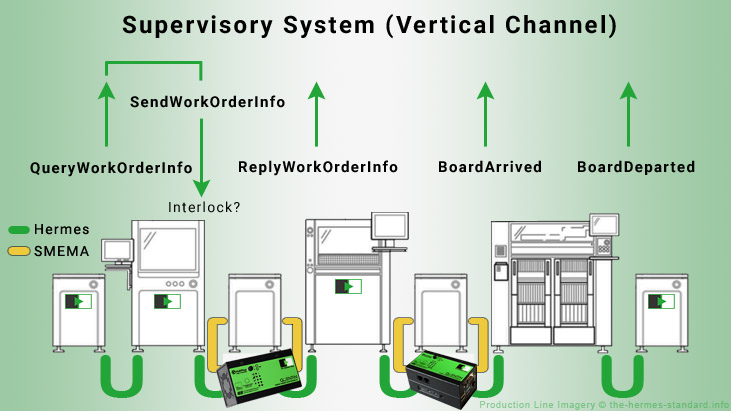
The Hermes Standard Supervisory System (Vertical Channel) is optional additional functionality allowing communication with third party software to download and upload Hermes records to the production equipment.
Functionality includes the creation of Hermes Board Records at the start of the line grouped as Work Orders, and live Board Tracking which can be used for historic production traceability.
While the CFX (Connected Factory Exchange) IPC-2591 has been marketed as the 'last' software interface required in a SMTA factory, the equipment vendors that use a PLC (Programmable Logic Controller) within their machines have indicated that they can't support AMQP (Advanced Message Queuing Protocol) which the CFX uses.
With Hermes Supervisory only requiring XML over TCP/IP Network Sockets and while the CFX constraint exists, the Hermes Supervisory System will be favoured by equipment vendors on SMT production lines.
The Hermes Standard Supervisory App is under development in a ALPHA MVP (Minimum Viable Product) state. To Install the MultiPlug App read this Wiki.
Aimed at a low cost purchase to be accessible to the whole electronic manufacturing industry. Check Software Resellers for latest prices.
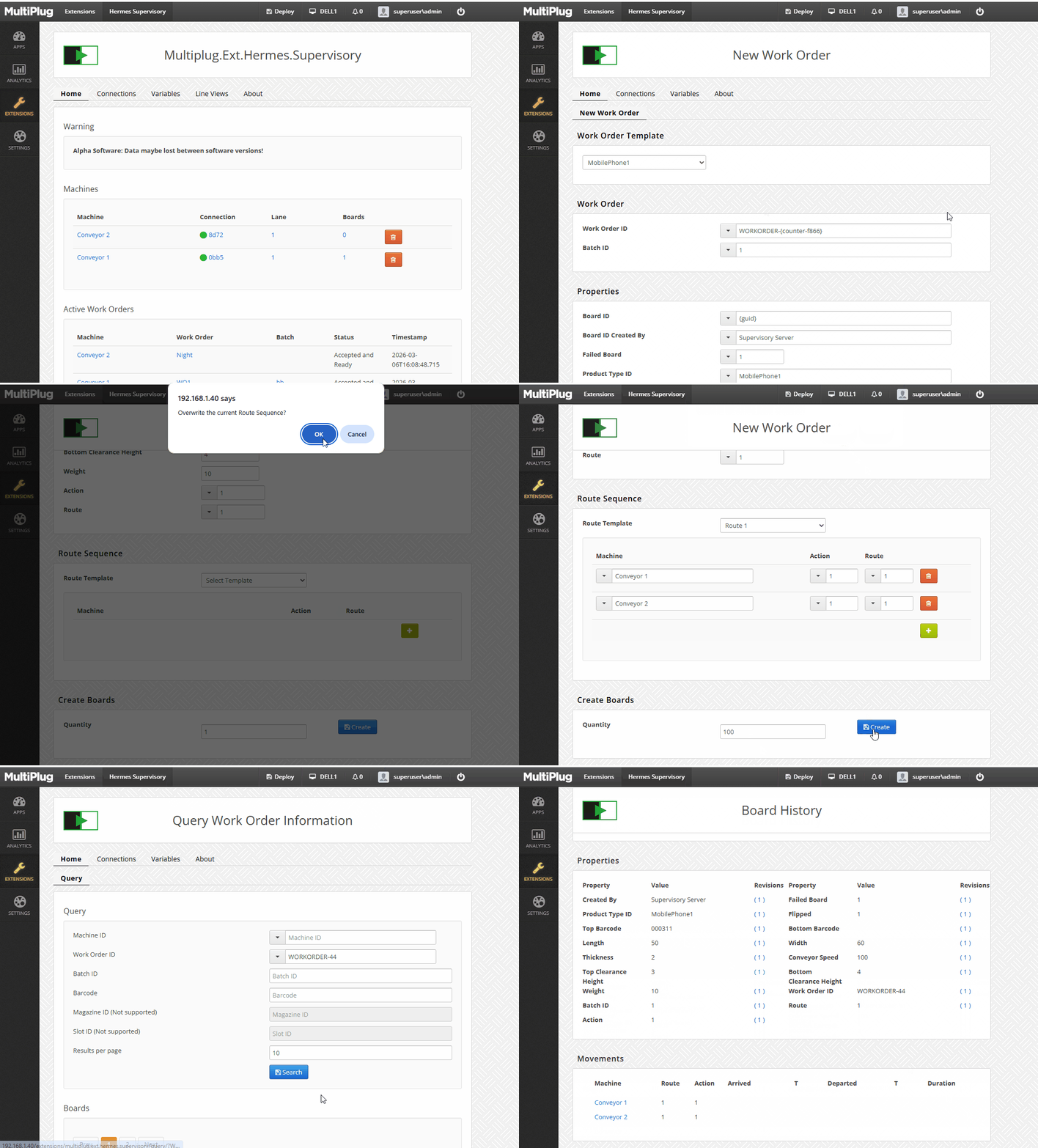
1. Create a collection of PCB Boards described as a Work Order using saved Work Order/Product templates and variable values.
2. Monitor Active Work Orders
Hermes Equipment Requirement
1. The equipment should request the Work Order by the QueryWorkOrderInfo Hermes message.
2. The equipment should support the ReplyWorkOrder Info Hermes message.
Click the image for a larger animation.
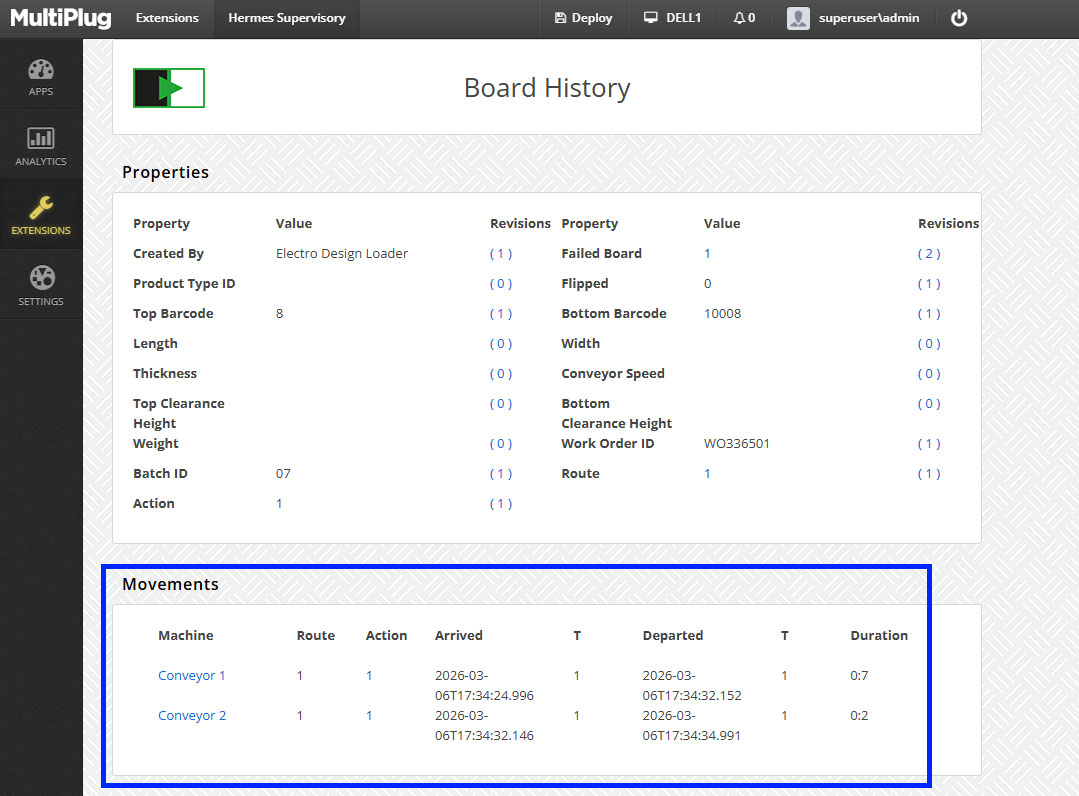
1. Record the movement of Boards and when their properties have been updated.
2. Interlock (Stop) Board movements to prevent unauthorised movements.
Hermes Equipment Requirement
1. The equipment should support BoardArrived and Board Departed Hermes messages.
2. The equipment should request the Work Order using the QueryWorkOrderInfo message on entry of the PCB and compare values. (Vendor specific functionality)
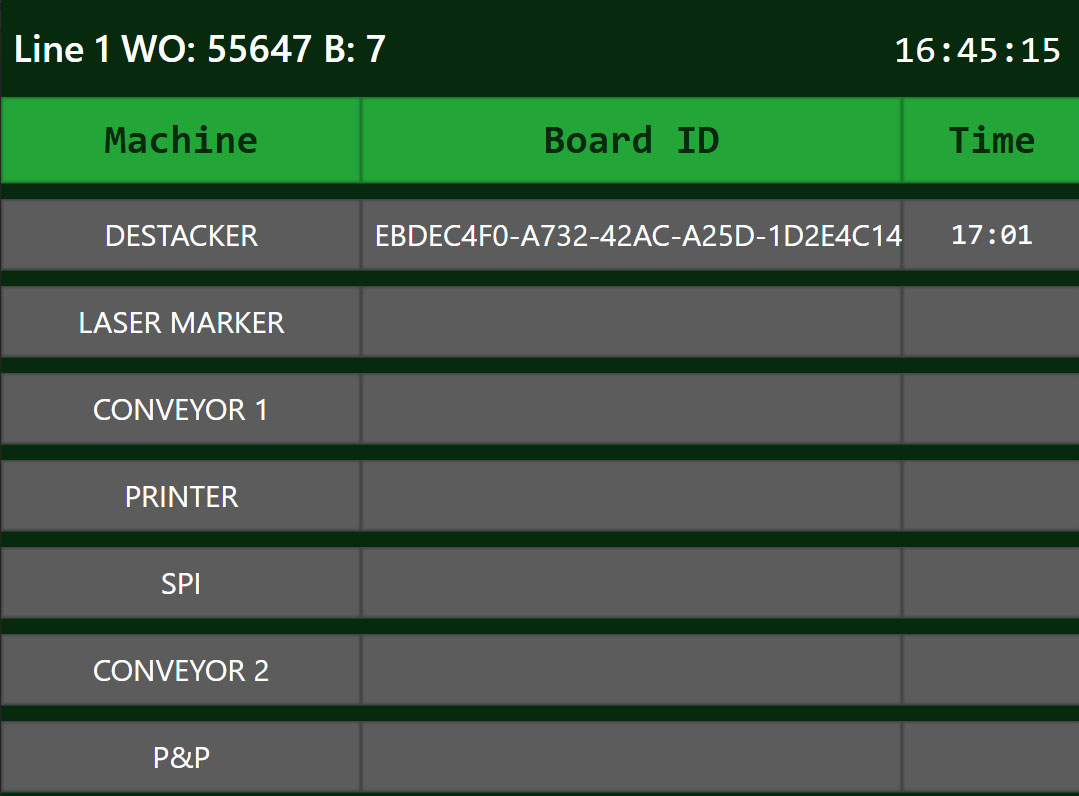
Create customisable Line View Dashboards to display the live movements of Boards.
These can be viewed by a (web) browser on a Production Line Display, Mobile Phone, PC or Tablet.
Hermes Equipment Requirement
The equipment should support BoardArrived and Board Departed Hermes messages.
The Digital Economy has grown over the last 30 years and the people that work within it use the Web Browser as their native user interface. To employ their skills into the Manufacturing industry we must use the same technologies to talk the same language.
Setup and Remote Monitoring is conducted by a Browser based user interface. The Web Browser is the last App you will have to install.
The Supervisory App runs as a Software Extension on the MultiPlug Edge Computing Platform that allows additional functionality to be loaded by other Software Extensions. MultiPlug.Ext.Hermes.Supervisory is one such proprietary Extension but other Open Source Extensions can be loaded. New Extensions can be created using the .Net programming language.
MultiPlug uses the Publish–Subscribe design pattern where events are mapped to subscriptions using a visual web browser editor making it fully flexible for changing needs.